Best Prop Firm Trading Platforms in 2026 Compared
Prop firm trading platforms differ in automation, charting, cost and regional availability. As of 2026, MT5 supports MQL5 Expert Advisors, cTrader supports cBots, TradeLocker offers Studio tools, and Match-Trader is another option used by prop firms. The right choice depends on your strategy and the firm's current rules. Always confirm platform access, fees and permitted tools before buying an evaluation.
Introduction: Why does your prop firm trading platform matter?
Choosing a prop firm involves more than account size, profit targets and drawdown limits. Your trading platform affects how you analyse markets, place orders, manage positions and run automated strategies.

Comparisons of prop firm trading platforms in 2026 can be confusing. Firms offer different software, some restrict access by region, and platform directories use different counting methods. A platform may also support a feature that the firm does not permit on its accounts.
This guide compares MT5, cTrader, TradeLocker and Match-Trader, explains TradingView and futures-platform options, and shows how to assess platform-related costs and risks. It also summarises The5ers' published platform information.
The goal is to help you choose a platform that fits your workflow—not to declare one universally best.
What trading platforms do prop firms use in 2026?
CFD prop firms commonly offer platforms such as MetaTrader 5 (MT5), cTrader, Match-Trader, TradeLocker and DXtrade. Futures-focused firms may use NinjaTrader, Tradovate or other specialist platforms. Availability depends on the firm's products, technology arrangements and regional restrictions.
A trading platform provides the software for analysing markets and managing trades. It does not independently determine a firm's profit targets, drawdown limits, evaluation stages or payout terms.
What are MT5, cTrader, Match-Trader and TradeLocker?
- ●MetaTrader 5 (MT5): A multi-asset platform with charting, order management and algorithmic trading through MQL5 Expert Advisors (EAs). Official MT5 documentation.
- ●cTrader: A platform developed by Spotware with charting, order management and automated strategies called cBots. Its algorithmic environment supports C# and Python workflows. Official cTrader cBots documentation.
- ●Match-Trader: A platform supplied to brokers and prop firms. Available features and integrations depend on each firm's implementation.
- ●TradeLocker: A trading platform used by some prop firms. TradeLocker Studio offers bot-building and testing tools, including no-code workflows and Python scripting. Official Studio documentation.
- ●DXtrade: A trading platform used by some trading businesses. Check the firm's implementation for available instruments, integrations and automation permissions.
- ●TradingView: Primarily a charting and analysis platform. Some firms support direct trading integrations; others permit only charting or alerts.
- ●Futures platforms: NinjaTrader, Tradovate and other specialist tools may be available, depending on the firm and its market-data arrangements.
Platform capabilities do not automatically mean every tool is permitted in a prop firm's evaluation or funded account.
How did platform restrictions change the prop firm market?
MetaQuotes-related licensing restrictions disrupted MT4 and MT5 access at several prop firms in 2024. Some firms had to change platforms or reassess their licensing arrangements, highlighting the risks of relying on third-party technology.
Finance Magnates reported that SurgeTrader ceased operations after losing access to MetaQuotes products and subsequently facing the termination of its Match-Trader licence. This is a specific reported case, not proof that all firms using third-party platforms face the same outcome. Read the report.
Futures platforms have also changed. ProjectX announced that it would wind down its third-party service for most partners, with support continuing through February 28, 2026. Its notice directs traders who want to continue using the platform to Topstep's TopstepX offering. ProjectX official website.
The lesson is to check platform continuity, account migration policies and official announcements rather than assume today's platform list will remain unchanged.
How do MT5, cTrader, TradeLocker and Match-Trader compare?
The main differences involve automation, interface, charting workflow and firm availability. MT5 suits many traders who already use MQL5 EAs; cTrader offers cBots; TradeLocker provides Studio tools; and Match-Trader is an alternative integrated platform. The best fit depends on your strategy and the firm's permissions.
Table 1. Prop firm trading platforms compared, as of 2026
| Platform | Automation route | Best fit to consider | What to verify |
|---|---|---|---|
| MT5 | MQL5 EAs and scripts | Traders with existing MT5 tools | Current access, EA rules and instruments |
| cTrader | cBots; C# and Python workflows | Traders who prefer cTrader's interface or automation | Availability, fees and bot permissions |
| Match-Trader | Depends on integrations and firm setup | Traders who prefer its interface and available tools | Copy trading, automation and integrations |
| TradeLocker | Studio, no-code workflows and Python | Traders interested in bot-building tools | Studio access and permitted automation |
| DXtrade | Depends on the implementation | Traders whose firm offers compatible features | Integrations, automation and product access |
| TradingView | Native trading integration where supported; otherwise charts and alerts | Traders who prefer TradingView's charting | Direct order placement and alert restrictions |
| Futures platforms | Varies by firm and provider | Futures traders | Data feeds, contracts, order tools and fees |
Feature availability varies by platform version, firm integration, account type and region. This table describes general capabilities, not a guarantee that every feature is enabled.
Which platform has the strongest automation ecosystem?
MT5 is a natural option for traders with an existing library of MQL5 EAs. cTrader supports cBots, while TradeLocker Studio offers a different environment for building and testing strategies. Existing MT5 EAs do not automatically run on cTrader or TradeLocker.
Moving an automated strategy may require rewriting and retesting the code. Differences in symbol names, price data, spreads, time zones and order handling can affect results even when the underlying strategy is similar.
For Match-Trader and DXtrade, confirm the exact automation options with the firm. An integration that exists elsewhere may not be enabled or permitted on your account.
Can MT5 EAs run on cTrader or TradeLocker?
Not as native applications without adaptation or a compatible implementation. MT5 EAs use MetaTrader's environment; cTrader uses cBots, and TradeLocker supports its own Studio workflows.
Before using a bot in a paid evaluation, confirm both technical compatibility and the firm's rules. A strategy can work technically yet still breach restrictions on EAs, external signals, APIs or copy trading.
How many prop firms support each platform?
There is no universally accepted count of firms using each platform. Directories differ in the firms they include, how they verify active status, whether they count CFD and futures firms together, and how recently listings were checked.
Table 2. Published platform counts from two directories, as of October 2026
| Platform | PropFirmMap directory | PipValley index |
|---|---|---|
| MT5 | 86 firms | 151 firm websites |
| cTrader | 70 firms | 107 firm websites |
| Match-Trader | 80 firms | 94 firm websites |
| TradeLocker | 30 firms | 54 firm websites |
| DXtrade | 51 firms | 52 firm websites |
| TradingView | 44 firms | Not included in the cited top-five count |
Sources: PropFirmMap platform directory and PipValley platform index. PipValley describes its figures as appearances across 529 prop firm websites, checked October 12, 2026. The counts are not directly interchangeable because the datasets and methods may differ.
These figures indicate directory coverage, not a definitive industry census or a measure of firm quality. For an individual trader, the key question is whether the firm supports the platform today, for the specific account and region.
Does a larger platform ecosystem make a prop firm more reliable?
Not necessarily. A larger ecosystem may offer more tutorials, indicators, developers and troubleshooting resources, but it does not prove that a particular firm is financially sound or likely to remain operational.
A smaller platform ecosystem does not automatically indicate poor service either. Treat platform popularity as one consideration alongside transparent terms, payout processes, customer communication and operational continuity.
What does the platform control, and what does the prop firm control?
The platform provides the software and technical tools. The prop firm sets the contractual conditions of its evaluation or funded program, including targets, drawdown, prohibited strategies and payout eligibility.
Table 3. Platform features versus firm rules, as of 2026
| Feature or condition | Main factor controlling it | What to check |
|---|---|---|
| Charting and interface | Platform and firm configuration | Indicators, time frames and tools |
| EA and bot compatibility | Platform and firm | Technical support and permissions |
| Profit target | Firm and program | Target and calculation method |
| Daily and maximum drawdown | Firm and program | Equity/balance basis, reset time and trailing rules |
| News and overnight trading | Firm and account type | Restricted events and holding conditions |
| Copy trading | Platform tools and firm policy | Allowed sources and account-linking rules |
| Evaluation fees | Firm and chosen product | Resets, activation costs and refunds |
| Regional access | Firm eligibility and technology arrangements | Current availability for your location |
| Payouts or rewards | Firm and program | Eligibility, withdrawal conditions and processing terms |
The word "usually" matters: a platform may provide technical controls that help a firm enforce its rules, but the firm's applicable terms govern the trader's obligations.
Why can the same firm have different rules across platforms?
A firm may offer different products, account types or conditions depending on the platform and region. CFD and futures programs may also have separate rules, instruments and fees.
Read the exact program page and rulebook before purchasing. If official pages conflict, ask support for clarification in writing and save the answer. Do not assume that rules for one account apply to another.
Related reading: Can you copy trade between prop firm accounts?
How do platform costs and pricing differ?
Platform pricing depends on the firm, account size, evaluation type and region. Some firms include the platform in the advertised fee; others charge extra. Reset fees, activation costs, data subscriptions and platform-switching restrictions can affect the total.
The5ers' published CFD platform FAQ, last updated August 13, 2026, states that cTrader carries an additional $10 fee on top of the program price. It also says platform choices are final after purchase and lists regional availability. These are The5ers-specific terms, not an industry-wide rule.
Before paying, check:
- ●Evaluation fee: Current price for the account size and program.
- ●Platform surcharge: Any extra cost for your selected platform.
- ●Reset or retry fees: What happens after a failed evaluation.
- ●Activation fees: Whether a separate payment applies after passing.
- ●Refund conditions: When, if ever, fees are refundable.
- ●Data and software costs: Particularly important for futures.
- ●Switching rules: Whether the platform can be changed after purchase.
Compare the full cost, not only the headline challenge fee.
Can you use TradingView with a prop firm?
Sometimes. TradingView may be available for charting, through a direct trading integration or as part of a firm's platform experience. Charting and alerts alone do not guarantee that you can execute trades directly or automate them.
The5ers' CFD platform FAQ, last updated August 13, 2026, lists MT5, cTrader and TradingView for non-US clients and TradingView for US-based clients, while noting that cTrader is no longer available for new US client accounts. Confirm the current options before purchasing.
The5ers also describes a TradingView integration in its new features information. Its chart-difference FAQ explains that chart data and execution feeds can differ, potentially affecting candle formation and price levels.
Before relying on TradingView alerts or integrations, check whether direct order placement is supported, whether webhooks or external APIs are permitted, and what happens if a connection fails. Test the workflow before using it in an evaluation.
How do platform and regional restrictions affect US traders?
Platform access depends on the firm's eligibility requirements, technology arrangements and specific product. A platform listed on a global marketing page may not be available to every customer.
For example, The5ers publishes regional platform information in its official CFD FAQ. FTMO also provides separate US service and eligibility information through its official US FAQ.
Before paying, verify:
- ●Whether the firm accepts residents of your state or country.
- ●Which product and platform you can use.
- ●Whether identity, payout or location requirements differ.
- ●Whether desktop, web and mobile access are available for your account.
Check the firm's current terms instead of relying on old reviews or directory listings.
Which platforms do futures prop firms use?
Futures prop firms may offer NinjaTrader, Tradovate, Rithmic-connected interfaces or other specialist platforms. The right choice depends on supported contracts, data access, order-flow tools, trading hours and software costs.
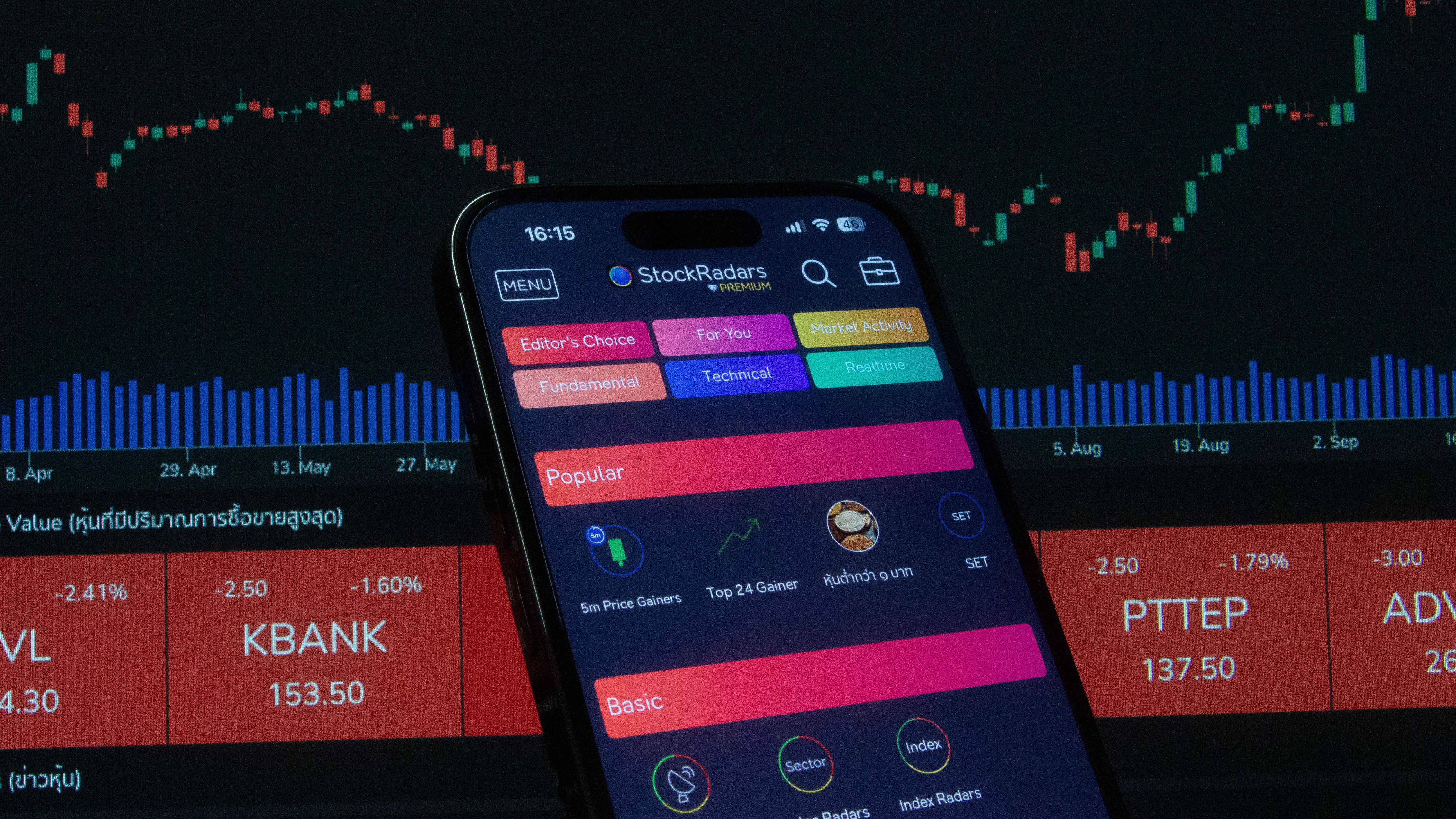
The5ers' official futures FAQ, last updated June 10, 2026, lists BlackArrow as its supported futures platform. Its futures program page describes program-specific conditions, including targets and loss limits.
Futures and CFD offerings may have different platforms, data feeds, contract specifications, fees and drawdown rules. Check the relevant futures product rather than assuming a firm's CFD platform list also applies to futures.
Related reading: The5ers Futures: Basecamp vs Rebate Program
What are the main platform risks and disadvantages?
Every platform has trade-offs. MT5 may be convenient for existing EAs but is not available at every firm. cTrader has a separate bot ecosystem, while Match-Trader and TradeLocker features depend on integrations and firm configuration. Futures traders may face additional data and software requirements.
Platform dependency risk occurs when a firm relies on a third-party provider for a critical part of its service. If access is restricted or a commercial relationship ends, the firm may need to migrate accounts or change its offering.
The reported SurgeTrader closure and ProjectX's 2026 changes illustrate different forms of platform-related disruption. They do not establish that all firms using external platforms are unreliable. They do show why traders should ask about migration plans and how active evaluations would be handled.
For a wider risk checklist, read Prop Firm Closures 2024–2026.
Which platform should you choose for your trading style?
Choose based on your essential tools, the firm's rules and your location—not popularity alone.
- ●List your requirements. Include charting, indicators, order types, EAs, cBots, alerts and copy-trading tools.
- ●Check compatibility. Confirm that your existing scripts or automation work on the platform.
- ●Read the firm's rules. Check bot, API, copier, news-trading and overnight-holding restrictions.
- ●Verify regional access. Make sure the firm offers the specific product in your location.
- ●Calculate the total cost. Include platform surcharges, resets, activation fees, data and software.
- ●Test the workflow. Use an official demo or trial where available.
- ●Save the current terms. Keep dated copies of the platform list, fees, account rules and relevant FAQs.
How does The5ers handle platform choice?
The5ers offers different platform arrangements for its CFD and futures products. Its CFD platform FAQ, updated August 13, 2026, lists MT5, cTrader and TradingView for non-US clients and TradingView for US-based clients, with a stated $10 cTrader surcharge and restrictions on changing platforms after purchase.
For futures, The5ers' official FAQ lists BlackArrow as its supported platform.
These details are time-sensitive. Check the official product page for current access, fees, automation permissions, drawdown structure and payout conditions before purchasing.
Read our The5ers Review 2026 for a broader look at its programs and terms.
Key takeaways
- ●Choose for your workflow: MT5, cTrader, Match-Trader and TradeLocker differ in interfaces and automation.
- ●Compatibility is essential: MQL5 EAs, cTrader cBots and TradeLocker Studio workflows are not automatically interchangeable.
- ●Firm rules take priority: Technical capability does not mean a bot, copier or API is permitted.
- ●Directory counts vary: Published totals depend on dataset and methodology; verify the firm's current platform list.
- ●Region and product matter: CFD and futures programs may offer different platforms and eligibility.
- ●Compare the full cost: Check surcharges, resets, data and activation fees, and save dated terms.
- ●Platform continuity is one risk factor: Third-party technology changes can affect access, but platform choice alone does not establish firm reliability.
Next steps: Compare prop firms and their current offers
Before buying an evaluation, confirm that the firm supports your preferred platform, permits your trading tools and offers the right program for your location. Then compare current rules, total fees, drawdown limits and payout conditions.
Prop Firm Insider's Best Prop Firms comparison → compare The5ers, FTMO, FundedNext, FundingPips, E8 and other firms, including available offers and codes.
Use the comparison to review each firm's current program details and any listed promotional codes. Check the final terms on the firm's official website before purchasing; offers and eligibility can change. Disclose affiliate relationships where applicable.
For a firm-specific follow-up, read the The5ers review.
For more prop firm comparisons, scaling guides, and trader education, explore Prop Firm Insider.